

 Muhammad Naeem
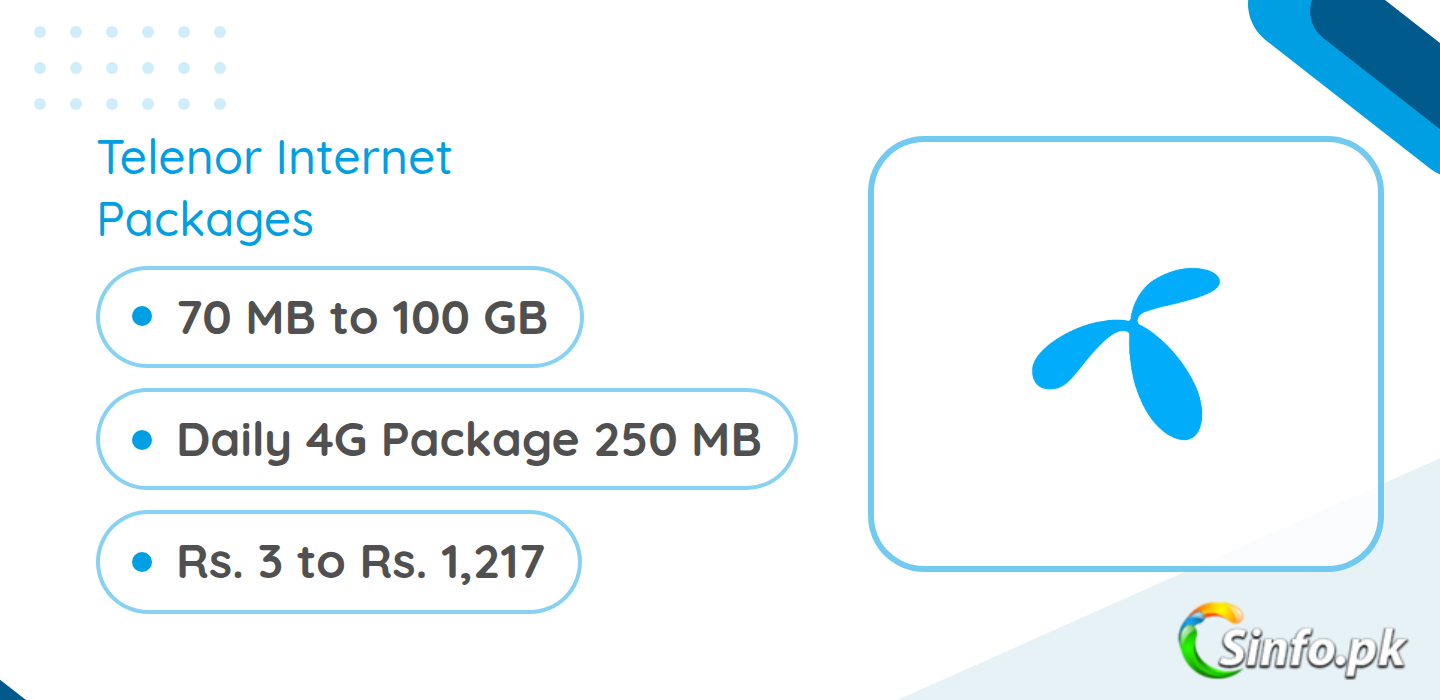
Here are the latest Telenor internet packages for 2026, covering daily, weekly and monthly 4G bundles. If you only need the short answer: the Daily 4G Package (250 MB for Rs. 15, dial *13#) is enough for a normal day of browsing and messaging, while the 4G Monthly Lite (24 GB for Rs. 304, dial *301#) is the best value monthly pick for most people.
A note on these figures first, because it matters. Telenor’s own website blocks automated access, so this list is compiled from the most recent public package listings and cross-checked across multiple sources. Prices and codes can change without notice, so always confirm the exact bundle in the My Telenor App before you subscribe. Where a bundle is app-only or its price varies by offer menu, that is stated plainly below.
Want to compare a single validity window on its own? See Telenor daily internet, the 3-day bundle, weekly offers, and monthly plans.
Quick Answer: Best Telenor Internet Package for Most Users
For most Telenor prepaid users, the best all-round choice is the 4G Monthly Lite. It gives 24 GB (12 GB usable any time plus 12 GB in off-peak hours) for Rs. 304, valid for 30 days, and you subscribe by dialing *301#. If you are a heavy streamer or you share your phone hotspot with family, the Mega Monthly Offer (100 GB for Rs. 347, dial *29#) works out far cheaper per GB. Light users who only go online on some days are better served by the daily packs in the table below.
Telenor Internet Packages Compared: Top Picks
The table below compares the four most popular Telenor internet packages side by side so you can pick by budget and usage instead of scrolling through every bundle.
| Package | Data | Validity | Price | Code | Best for |
| Daily 4G Package | 250 MB | 1 day | Rs. 15 | *13# | Light daily browsing |
| Weekly EasyCard Max | 3 GB + 2,500 on-net mins + 125 off-net mins + 2,500 SMS | 7 days | Rs. 287 | *345*106# | One weekly recharge for calls, SMS and data |
| 4G Monthly Lite | 24 GB (12 GB anytime + 12 GB off-peak) | 30 days | Rs. 304 | *301# | Best value monthly data |
| Mega Monthly Offer | 100 GB | 30 days | Rs. 347 | *29# | Heavy users and hotspot sharing |
| Monthly EasyCard | 5 GB + 5,000 on-net mins + 400 off-net mins + 2,500 SMS | 30 days | Rs. 1,217 | *80# | Callers who also need data and SMS |
Telenor’s data lineup has changed a lot since the old Talkshawk and djuice bundles. Those legacy brands have been discontinued, and most heavy users now pick one of the Monthly EasyCards or the standalone monthly data bundles below, while light users stick to the cheap daily packs. A sensible way to choose: pick your validity first (daily, weekly or monthly), then compare the price per GB inside that group.
Telenor Daily Internet Packages
Daily packs are built for light use: WhatsApp messaging, Facebook scrolling and a few YouTube videos. They expire at the end of the day, so activate them only on the days you actually need data. Buying a daily pack every day for a month costs far more than one monthly bundle, which is why these are best treated as top-ups rather than a routine.
| Package | Price | Code | Data | Validity |
| Daily Social Pack | Rs. 3 | *311# | 70 MB (Facebook + WhatsApp) | 1 day |
| Daily YouTube Pack | Rs. 8 | *60# | 500 MB (YouTube only) | 1 day |
| Daily 4G Package | Rs. 15 | *13# | 250 MB | 1 day |
| Daily Offpeak Offer | Rs. 15 | *10# | 1.5 GB (6 AM to 6 PM) | 1 day |
| Raat Din Offer | Rs. 18 | *150# | 1.5 GB (12 AM to 12 PM) | 1 day |
Two things to notice in this table. First, the app-specific packs (Daily Social Pack and Daily YouTube Pack) only work inside the named apps, so they are cheap but narrow. Second, the off-peak packs give much more data for the same money, but only inside their time window. The Daily Offpeak Offer’s 1.5 GB works between 6 AM and 6 PM, while the Raat Din Offer’s 1.5 GB runs from midnight to noon. If your routine fits one of those windows, these are the cheapest daily data on Telenor.
Night owls should also check the Good Night Offer in the My Telenor App (around 2 GB for the 1 AM to 11 AM window), which is made for late-night downloads and streaming. Its exact price is shown in the app menu, so confirm it there before subscribing.
Telenor Weekly Internet Packages
Weekly packs suit people who top up once a week and want a mix of data, minutes and SMS in a single recharge. Telenor currently sells this through the EasyCard family rather than data-only weekly bundles.
| Package | Price | Code | Data | Validity |
| Weekly EasyCard | Rs. 200 | *123# / retailer | 500 MB + 1,500 on-net mins + 50 off-net mins + 2,000 SMS | 7 days |
| Weekly EasyCard Max | Rs. 287 | *345*106# | 3 GB + 2,500 on-net mins + 125 off-net mins + 2,500 SMS | 7 days |
The Weekly EasyCard Max is the stronger of the two if you use mobile data at all: 3 GB is enough for messaging, maps and light browsing through the week, and the 2,500 on-net minutes cover normal calling. The base Weekly EasyCard only carries 500 MB, which disappears quickly once photos and videos start loading, so it suits people whose phone use is mostly calls and SMS.
If your week is mostly WhatsApp and Facebook, look for the Weekly Social Pack in the My Telenor App (5 GB of social data for 7 days, code *345*56#, price shown in the app menu). Social-only data does not get consumed by browsers or other apps, which makes it a cheap add-on next to a small general bundle.
Telenor Monthly Internet Packages
Monthly bundles give the lowest price per GB on Telenor. You activate once and stop thinking about data for 30 days. This is where the real value sits for anyone who goes online every day.
| Package | Price | Code | Data | Validity |
| 4G Monthly Lite | Rs. 304 | *301# | 24 GB (12 GB anytime + 12 GB off-peak) | 30 days |
| Mega Monthly Offer | Rs. 347 | *29# | 100 GB | 30 days |
| 4G Monthly Starter Bundle | Rs. 370 | *302# | 8 GB | 30 days |
| 4G Monthly Ultra Plus | Rs. 1,043 | *303# | 50 GB (25 GB anytime + 25 GB 1 AM to 11 AM) | 30 days |
| Monthly EasyCard | Rs. 1,217 | *80# | 5 GB + 5,000 on-net mins + 400 off-net mins + 2,500 SMS | 30 days |
The Mega Monthly Offer stands out in this list. At Rs. 347 for 100 GB, it costs roughly Rs. 3.5 per GB, unusually cheap for prepaid data in Pakistan. The 4G Monthly Lite works out near Rs. 12.7 per GB across its full 24 GB, still good value, but only half of that data is usable at any hour; the other 12 GB is tied to off-peak timing. The 4G Monthly Ultra Plus splits its 50 GB the same way, with 25 GB reserved for the 1 AM to 11 AM window. Before choosing a split bundle, think about when you actually browse. If you are rarely awake in those hours, the Mega Monthly Offer’s single anytime pool is simpler and cheaper.
Social media heavy users can also check the Monthly Social Pack in the My Telenor App (3,000 MB for WhatsApp and Facebook, 30 days, via the *301# menu) as a cheap add-on next to a small data bundle.
Flagship Telenor Internet Packages in Detail
4G Monthly Lite (*301#)
This is the bundle most Telenor data users should start with. For Rs. 304 you get 24 GB for 30 days: 12 GB that works around the clock and 12 GB reserved for off-peak hours. To subscribe, dial *301# from your Telenor prepaid SIM and confirm. To check what is left, dial *121#, or *999# for a detailed data balance. The bundle does not need an unsubscribe code; it simply expires after 30 days. Remember that the listed price is before tax, so your balance deduction will be higher, roughly 25 to 30 percent more depending on current taxes. Keep enough balance on the SIM before dialing the code.
Mega Monthly Offer (*29#)
The Mega Monthly Offer is Telenor’s big-data monthly deal: 100 GB for Rs. 347 over 30 days, subscribed by dialing *29#. Unlike the Lite and Ultra Plus bundles, the data is not split into off-peak windows, so the full pool is available whenever you need it. That makes it the sensible pick for hotspot sharing, laptop tethering, online classes and households that run several devices off one SIM. Check remaining data with *121# or the detailed *999# menu. Because the price is close to the Monthly Lite while offering four times the data, confirm availability in the My Telenor App if the USSD code does not respond on your number, since promotional offers can vary by SIM.
Monthly EasyCard (*80#)
The Monthly EasyCard is the all-in-one monthly option. For Rs. 1,217 you get 5 GB of data, 5,000 on-net minutes, 400 off-net minutes and 2,500 SMS for 30 days, subscribed by dialing *80#. One important detail: since Telenor became part of the PTCL and Ufone group, on-net minutes on Telenor packages can be used to call Telenor, Ufone and PTCL landline numbers, a combined base of more than 72 million subscribers. That makes the 5,000 on-net minutes far more useful than they look on paper. The 5 GB data allowance is modest, so heavy data users should pair this card with a separate data bundle or pick the Mega Monthly Offer instead. You can find the full EasyCard range in the My Telenor App under monthly offers.
Weekly EasyCard Max (*345*106#)
For a one-week recharge, the Weekly EasyCard Max (Rs. 287, dial *345*106#) packs 3 GB of data with 2,500 on-net minutes, 125 off-net minutes and 2,500 SMS. Because on-net now covers Ufone and PTCL numbers as well, the minute pool reaches well beyond Telenor SIMs. Dial *121# during the week to track data, and keep in mind the card expires after 7 days with no carry-over of unused resources.
How Much Data Do You Actually Need?
Choosing between 24 GB and 100 GB is easier when you translate activities into rough data use. WhatsApp text messaging uses about 1 to 2 MB per hour of active chatting, so heavy messengers rarely cross 1 GB a month on texts alone. Voice calls on WhatsApp use roughly 20 to 30 MB per hour, and video calls 150 to 300 MB per hour depending on quality. YouTube at 360p uses around 180 MB per hour; at 480p it is closer to 300 MB per hour, while HD streaming can pass 1 GB per hour. Social scrolling with autoplay video typically uses 100 to 200 MB per hour. A safe planning figure for a typical user is about 500 MB per day, near 15 GB a month, which fits inside the 4G Monthly Lite. If you stream daily, attend online classes or share a hotspot, plan for 50 GB or more and take the Mega Monthly Offer. Buyers cross-shopping that 50 GB class against other networks will find the same habits translated into bundle sizes in our Jazz internet packages, Zong internet packages and Ufone internet packages guides.
Telenor Network Background: What Changed
Telenor Pakistan is now part of the PTCL and Ufone group following the acquisition and network integration. The practical change for package buyers is the widened meaning of “on-net”: minutes in Telenor bundles can now be used for calls to Telenor, Ufone and PTCL landline numbers. That widened on-net pool is priced bundle by bundle in our Telenor call packages guide, while the SMS allowances inside the same EasyCards are scored separately in Telenor SMS packages. The old djuice and Talkshawk brands have been fully discontinued, so any bundle still advertised under those names on third-party pages is outdated. Telenor sells prepaid data through USSD codes, retailer-loaded EasyCards and the My Telenor App, where some social and night offers appear exclusively. Because Telenor’s website restricts automated checking, app menus are the most reliable place to confirm a bundle right before subscribing.
How to Subscribe and Check Telenor Internet Packages
There are three ways to activate a Telenor internet package. The fastest is USSD: dial the code from the tables above (for example *301# for the 4G Monthly Lite) and confirm the prompt. The second is the My Telenor App: open the app, go to the offers section, pick the package and tap subscribe; the app also shows personalised offers that never appear in public listings. The third is a retailer, who can load EasyCards such as the Weekly EasyCard directly onto your number.
To check your remaining internet, dial *121# for a quick MB balance or *999# for a detailed data balance. The My Telenor App shows the same figures with expiry dates. Our Telenor MB check code page collects every one of these balance methods in a single place for readers who only need the status view. If a subscription confirmation SMS never arrives, the bundle probably did not activate, usually because the balance after tax was too low; top up and try again.
Frequently Asked Questions
How do I check my remaining Telenor internet MBs?
Dial *121# for a quick balance or *999# for a detailed data balance. You can also open the My Telenor App, which shows remaining data and the bundle’s expiry date.
Which Telenor internet package is best for YouTube?
For regular YouTube viewing, take a monthly bundle. The Mega Monthly Offer (100 GB for Rs. 347, *29#) gives the most headroom for video. For a single day of watching, the Daily YouTube Pack gives 500 MB of YouTube-only data for Rs. 8 (*60#).
Do Telenor internet bundles work on 2G, 3G and 4G?
Yes, the bundles work across Telenor’s 2G, 3G and 4G networks. Speed depends on the coverage in your area.
Do off-peak and night bundles work during the day?
No. Data in a night or off-peak window only works inside that window (for example 1 AM to 11 AM). Outside the window, usage either stops or is charged from your balance, so check the window before subscribing.
What happens when my bundle runs out?
Once the data is finished or the validity ends, browsing is charged from your balance at the default rate, which is expensive. Keep an eye on the balance with *121# and resubscribe in time.
Can I subscribe to two internet bundles at the same time?
In most cases the new subscription replaces the old one and any leftover data from the old bundle is lost. Finish one bundle before activating the next, or confirm in the My Telenor App.
Are the prices shown here with or without tax?
Prices listed on public package pages are usually without tax. Expect the actual deduction from your balance to be roughly 25 to 30 percent higher.
Do Telenor bundles auto-renew?
Most prepaid bundles simply expire at the end of their validity and do not auto-renew. If you want the same bundle next month, subscribe again with the same code once the old one expires.
Can I subscribe through the My Telenor App instead of USSD?
Yes. Open the My Telenor App, go to the offers section, choose the bundle and confirm. Some social and night offers, like the Weekly Social Pack and the Good Night Offer, are easiest to find inside the app.


I need monthly data cod telenor