

 Muhammad Naeem
If your calls keep dropping at home, the PTA has new advice for you: turn on WiFi calling. The regulator’s advisory has made WiFi calling Pakistan users can switch on themselves a talking point, but the feature only works when your phone and your network both support it.
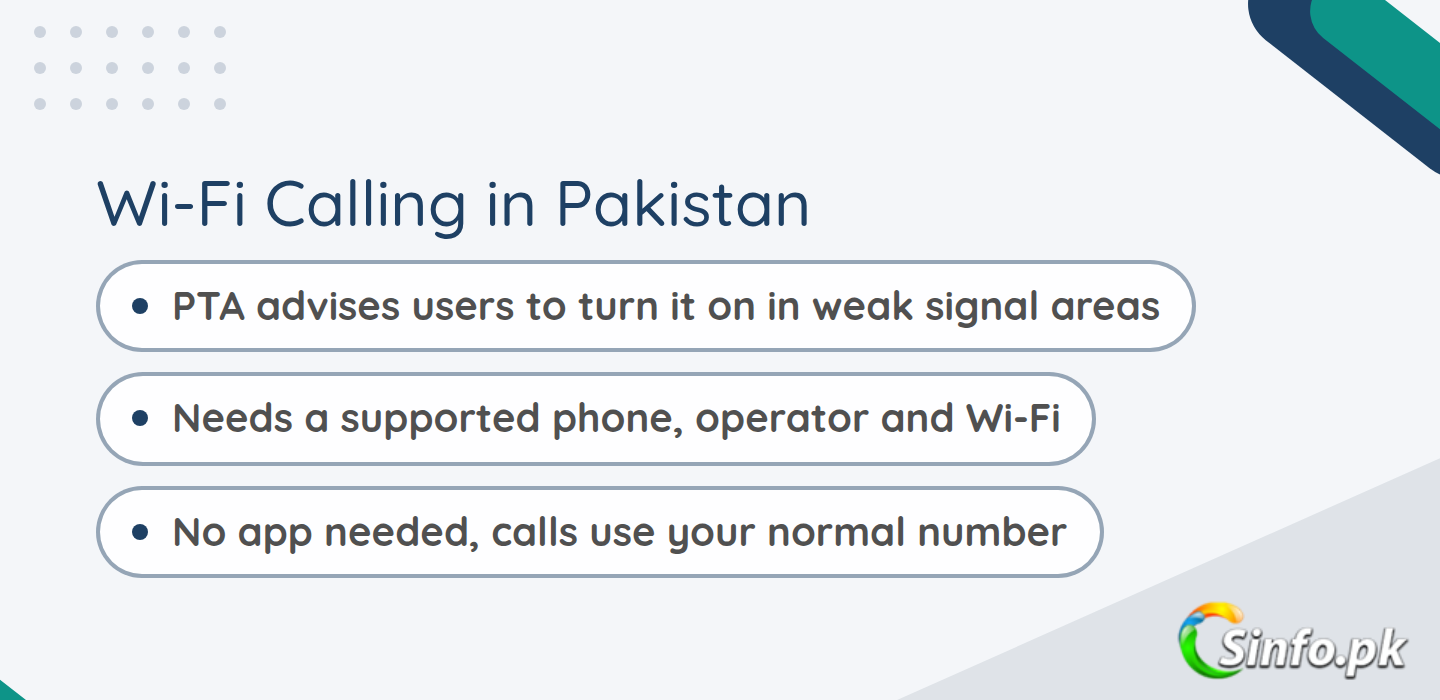
Quick answer: PTA wants users facing weak signals to enable WiFi calling in their phone settings. You need three things: a phone that has the feature, an operator that offers it, and an active Wi-Fi connection. If the option is missing on your phone, contact your operator to confirm support.
What the PTA advisory actually says
PTA has advised mobile phone users to “enable Wi-Fi Calling and check their 4G/LTE settings” to improve connectivity and call quality in areas with weak signals, as reported by ProPakistani on 9 October 2026. The authority said users may face trouble making calls inside buildings and basements where signals are weak. The feature works only if the phone and the mobile operator support it, and anyone who cannot find or activate the option should contact their operator. The advisory also asks users to check that their 4G/LTE settings are on and that their phones and SIM cards support 4G.
It follows other PTA moves this year, like the draft competition rules and the standard rates for prepaid data without a bundle. UrduPoint and Pakhtun Digital reported the same three requirements: a supported phone, a supporting operator, and an active Wi-Fi connection.
WiFi calling Pakistan: how the feature works
WiFi calling lets your phone make and receive normal calls over a Wi-Fi connection instead of the mobile network. The person you call needs nothing special, and the call can reach any mobile or landline number. Your own number shows up as usual. In plain words, your phone borrows your home or office internet for calls when the tower signal cannot reach you, such as inside thick-walled rooms or basements. That is the whole idea behind WiFi calling Pakistan wide: use the Wi-Fi you already have when the mobile signal is too weak.
How to turn it on: Android
Menu names differ by phone brand, but for WiFi calling Pakistan Android users the steps look like this:
- Connect to a Wi-Fi network that has working internet, not just full signal bars.
- Open the Phone app, tap the three dots, then Settings, and look for Wi-Fi Calling. Turn it on. Jazz shows this path for Samsung phones on its official page.
- On some phones the option sits under Settings, then Connections or Mobile Network, then Wi-Fi Calling.
- Once it is on, you should see a WiFi calling icon next to the Wi-Fi signal bar.
Tip from Jazz: also turn on VoLTE. WiFi calling works with it off, but your call will cut if you leave Wi-Fi range; with both on, the call can move to 4G without dropping.
How to turn it on: iPhone
For WiFi calling Pakistan iPhone owners, open Settings, tap Cellular, then Wi-Fi Calling, and turn on “Wi-Fi Calling on This iPhone.” Tap Enable when the phone asks. If you use two SIMs, pick the line you want to use first. The same PTA rule applies: the option only appears if your operator supports the service on your line.
Do the 4G/LTE check too
The PTA advisory on WiFi calling Pakistan wide also covers 4G/LTE settings for users with poor call quality or unstable internet. The checklist is short: open your phone’s Mobile Network or Network Settings, make sure the preferred network mode includes 4G/LTE, confirm your handset supports 4G, and check with your operator whether your SIM is 4G-ready. You should also be inside your operator’s 4G coverage area. Bloom Pakistan reported that this sits next to PTA’s Q2 2026 Quality of Service survey: 85% compliance for mobile broadband, 92% for voice, and 98% for coverage across 11 major cities.
Which operators support WiFi calling
For WiFi calling Pakistan operator support differs by network. Here is what we could verify from official pages:
| Operator | Official support page found? | What to do |
| Jazz | Yes, on jazz.com.pk/jazzfi | Turn it on in phone settings. You need a VoLTE handset with the feature, a 4G SIM, and enough balance or an active bundle. |
| Zong | Yes, on zong.com.pk/vas/vo-wifi | Settings, then Mobile Network or Connections, then Wi-Fi Calling, and turn it on. No app needed; your number stays the same. |
| Ufone | No official page found on ufone.com | Check phone settings and call the helpline (333) to confirm. A third-party guide mentions *9921#, but ufone.com does not confirm it. |
| Telenor | Not verified on telenor.com.pk, which blocks automated checks | Press reports said Telenor launched VoWiFi in December 2025, but we found no current official page. Confirm in the My Telenor App first. |
Jazz has tested it on Samsung, OPPO, VIVO, and Digit handsets and says WiFi calling Pakistan availability is nationwide on its network. Zong lists compatible handsets on its page, covering Samsung, Apple, Huawei, and Xiaomi models.
If you cannot find the option
PTA’s own advice covers this: if you cannot find or activate the WiFi calling Pakistan option on your phone, contact your mobile operator to confirm support. Before that, update your phone software, restart it, check that your SIM is 4G/LTE, and make sure the Wi-Fi has working internet. On Jazz, the network must provision the feature for your line, so a call to 111 may be needed. If the option is simply not there, your handset probably does not support it.
Why some users are not happy
Not everyone welcomed the advice. UrduPoint reported that users “strongly criticized the PTA, saying that such facilities are not available on handsets with older technology.” Users said the regulator should push mobile companies to improve service instead of telling people to buy new handsets, when most households can barely cover daily costs. They added that poor service from mobile companies reflects badly on the regulator itself.
Common questions
Does WiFi calling Pakistan cost extra on Jazz or Zong?
On Jazz, no: bundle users spend bundle minutes, others pay the normal base rate. Zong charges them like normal calls under your plan, with no additional charges. For Ufone and Telenor this is not stated, so check with the operator.
Can I use it without balance?
On Jazz you need sufficient balance or an active voice bundle, the same as a normal call. Zong bills WiFi calls against your plan. Not stated for the other networks.
Do I need to install an app?
No. Zong says no extra app is needed because the feature is built into most modern phones, and Jazz says it works through the phone’s normal dial pad.
Will my call drop when I leave the house?
It can. Jazz says WiFi calling works with VoLTE off, but the call will cut if the Wi-Fi goes and there is no mobile signal, so keep VoLTE on too. Zong says the call may drop unless your phone supports seamless switching between Wi-Fi and the mobile network.
Can I use it outside Pakistan?
On Jazz, no. Its WiFi calls are routed locally and do not work on international roaming. Not stated for the other networks.
Which phones support it?
Jazz has tested Samsung, OPPO, VIVO, and Digit handsets. Zong says most modern smartphones support it and publishes a full list on its page. PTA’s position is simple: it depends on your phone and your operator.
Bottom line: if you have weak signals at home and a fairly modern phone, WiFi calling Pakistan is worth switching on. It costs nothing extra on Jazz and Zong, needs no app, and takes a minute to set up. Just confirm with your operator first if you are on Ufone or Telenor.



Add comment