

 Muhammad Naeem
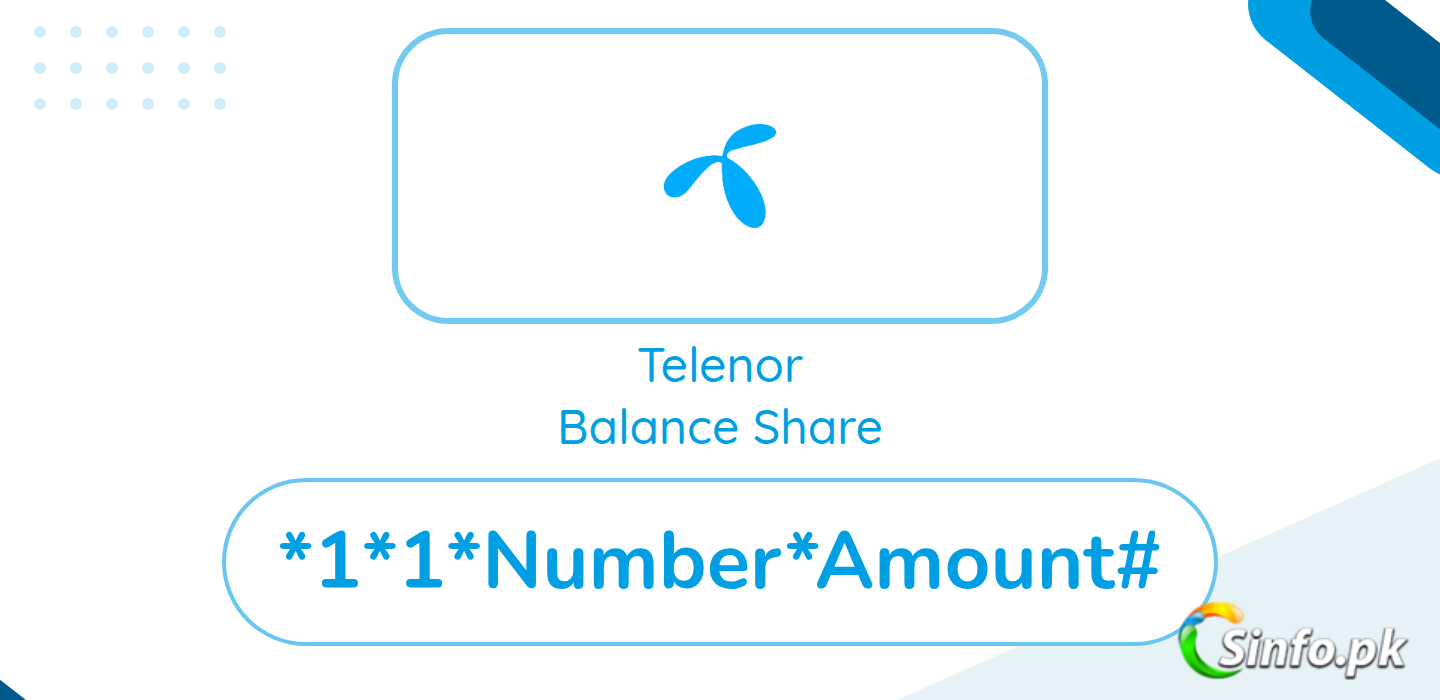
The Telenor balance share code is *1*1*Number*Amount#. This is the official Telenor Smart Share service for prepaid customers. Dial the code, reply with 1 to confirm, and the balance moves to the other Telenor number.
Quick answer: Dial *1*1*Number*Amount#, for example *1*1*923451234567*100# to share Rs. 100, then reply with 1 to confirm. Smart Share moves Rs. 15 to Rs. 200 at a time between Telenor prepaid numbers.
One honest note: Telenor’s own website blocks automated checks, so the fee below is cross-checked from recent public listings rather than Telenor’s page. Recent listings put the service charge between Rs. 5 and Rs. 7 including tax per transaction. Confirm the exact figure in the My Telenor App before you share.
That note stays in this guide on purpose, and it is worth following in practice too. Because the charge figure comes from recent public listings, checking the My Telenor App before a transfer is the careful habit here. It takes a moment, and it means the charge you plan around is the charge you actually face.
How To Share Telenor Balance (Smart Share)
- Dial *1*1*Number*Amount# (for example, *1*1*923451234567*100# to share Rs. 100).
- Build the code in order: the service code, then the receiver number, then the amount, then the hash. Copy the shape of the example if you are unsure.
- Read the number inside your code once more before dialing. Shared balance cannot be reversed once confirmed, so this read matters more here than in most codes you dial.
- Reply with 1 to the confirmation message.
- Both numbers receive a confirmation SMS once the transfer completes.
The example uses a full number format with the amount at the end, and your code should follow that same pattern. If your attempt fails, rewrite the entire code from scratch instead of patching it, because patching tends to preserve the original mistake. A clean rewrite, checked digit by digit, fixes more failed shares than repeated quick retries.
Telenor Smart Share Charges and Limits
- Service charges: around Rs. 5 to Rs. 7 including tax per transaction (recent public listings; confirm in the My Telenor App).
- Transfer range: Rs. 15 to Rs. 200 per transaction.
- Daily limit: up to 10 transactions a day on recent listings.
- Eligibility: prepaid customers only, Telenor to Telenor.
- Shared balance cannot be reversed once confirmed, so check the number twice.
Read the range as the working window: at least Rs. 15, at most Rs. 200 in one transfer. The daily limit of up to 10 transactions a day, per recent listings, is generous for ordinary use, but it is still a ceiling, so a day of helping several people can reach it. And because the service charge is listed as around Rs. 5 to Rs. 7 including tax per transaction, keep enough balance above the amount you send to cover that charge, and confirm the exact figure in the My Telenor App before you share, as this guide keeps advising.
Who This Helps
Smart Share helps when two Telenor prepaid users need a small amount moved quickly: a family member whose balance ran out before an important call, a friend stuck away from a recharge shop, or your own second Telenor prepaid number running low. Amounts between Rs. 15 and Rs. 200 cover those small emergencies well. A retailer or app recharge suits bigger top ups and numbers on other networks, while Smart Share suits the Telenor to Telenor case where the transfer itself, done in a minute, is the whole point.
Why Your Telenor Balance Share Failed
Start with eligibility, because it decides everything else. Smart Share is prepaid Telenor to Telenor only, so a postpaid number or a number on another network ends the attempt before it begins. Next, check the code format against the example: *1*1*Number*Amount#, in that order, with the hash at the end. A missing segment or a swapped number and amount is the most ordinary failure of all.
Then check the amount against the Rs. 15 to Rs. 200 range, and ask whether you have already made several transfers today, since recent listings put the daily limit at up to 10 transactions. Check your balance too, keeping room for the service charge of around Rs. 5 to Rs. 7 including tax per transaction. If you are unsure of the exact charge, confirm it in the My Telenor App before sharing, rather than after a failed attempt. And before any retry, confirm whether the first attempt actually went through by looking for the confirmation SMS, because shared balance cannot be reversed once confirmed: sending twice by accident is the one mistake this service will not undo for you, which is why checking the number twice is written into the limits above.
A small habit makes Smart Share safer overall: keep the confirmation SMS until you are sure the receiver got the balance. That message is your clearest record of what was sent, and holding on to it costs nothing. If anything looks off later, you can point to the confirmed transfer instead of relying on memory of what you dialed in a hurry.
FAQs
What is the Telenor balance share code?
Dial *1*1*Number*Amount# and reply with 1 to confirm.
How much does Telenor charge for Smart Share?
Recent listings show Rs. 5 to Rs. 7 including tax per transaction. Confirm the current figure in the My Telenor App.
Can I share Telenor balance with another network?
No. Smart Share works between Telenor prepaid numbers only.
Can postpaid customers use Smart Share?
No, the service is for prepaid customers only.
Can a Telenor Smart Share transfer be reversed?
No. Shared balance cannot be reversed once confirmed, so check the number twice before you reply with 1.


Very easy & useful informations are given here for common peoples. Thanks.