

 Muhammad Naeem
Do you want to know about the Zong number check code? So here in this article, we have provided multiple methods by which you can check your sim number. Here are the complete details about how to check the Zong number using code or online.
Most of the time, you buy a new sim but you forget its number. In that case, you don’t need to worry because there is a simple trick by which you can find the sim number.
This method is straightforward and is suitable for both Zong prepaid and postpaid customers who forget about their sim numbers. Here is a simple method by which you can find out your sim number easily.
How To Check Zong Number
In terms of technology, Zong draws on the research and experience of China Mobile, the world’s largest telecom service provider, to provide the most advanced services to customers.
By dialing the given code, your mobile sim number will be displayed on your screen. The charges of this code are zero. So, here is how to check Zong number:
- Go to your dial pad on your smartphone
- Dial the sim number check code that is *2#
- If this code does not work, try other codes that are *8# or *5#
- Stay on your screen for some seconds
- You will see your Zong number in a pop-up on your screen
- It works both for prepaid and postpaid zong sims
- It doesn’t cost you any charges to check your sim number
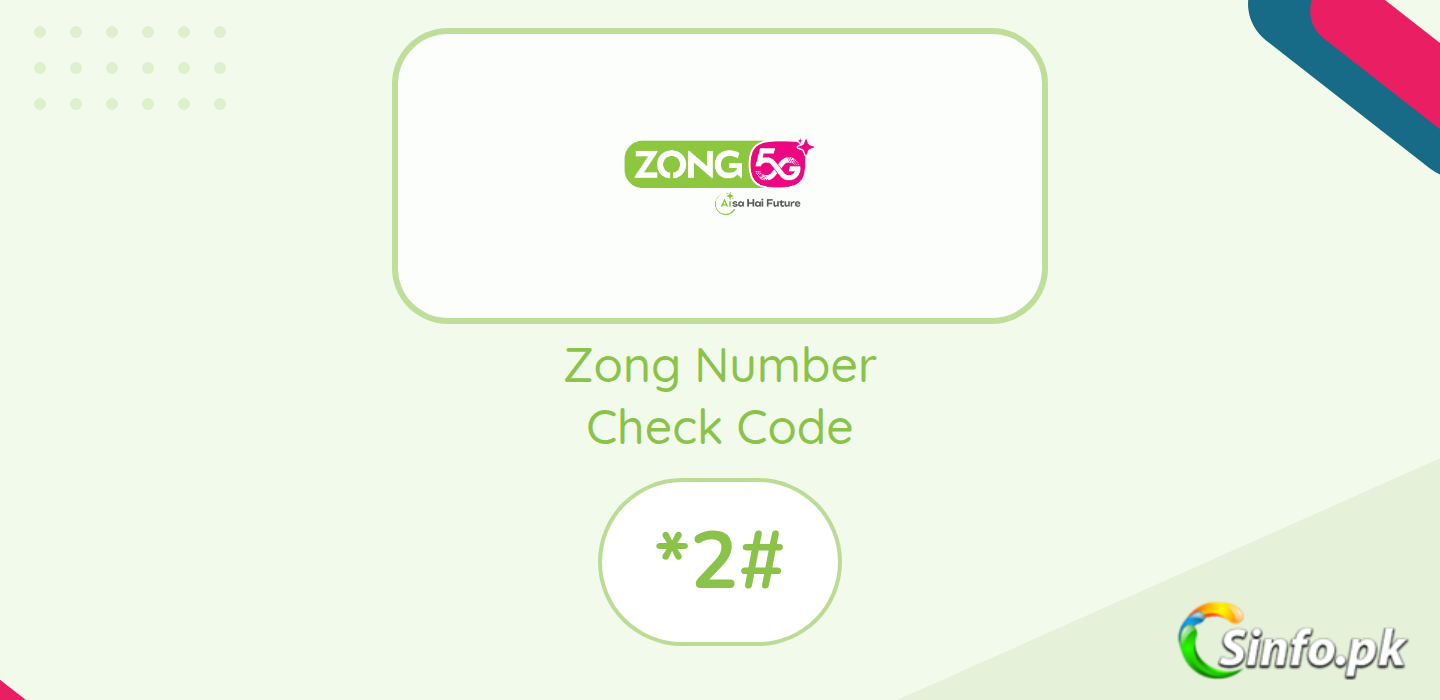
Zong Number Check Code
Zong envisions leveraging the latest 4G LTE technology to provide Pakistanis with the most reliable and affordable products in the market, providing a fully integrated environment.
Zong number check code is *2#. But there is also another method by which you can find your sim number using your CNIC number so here is another method:
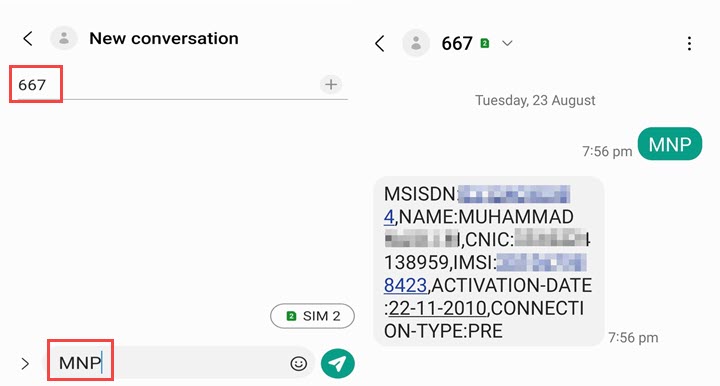
- Open your SMS app on mobile
- Type new message as MNP
- Send it to 667
- You will receive a message containing your sim number
- It is also free of cost
Check Your Zong Number in the My Zong App
If you already use the My Zong app, you do not even need a code. Open the app and your number is shown on the account screen right after login, along with your balance and active packages. This is the easiest route when the USSD code is not responding, and it works on both prepaid and postpaid accounts.
Find Your Number Without Any Code
There is one simple trick that never fails when someone is standing next to you. Call their phone from your SIM, or give them a missed call. Your Zong number appears on their screen, and you can save it straight from their call log. It sounds obvious, but on a brand-new SIM with no balance, this is often the fastest fix.
What the MNP SMS Tells You
The SMS route does more than show your number. When you send MNP to 667, the reply includes your number along with its registration details, which is handy when you want to confirm the SIM is registered in your own name. Keep that message saved somewhere safe, because the same details are what a franchise will ask for if you ever need a duplicate SIM. If this code doesn’t work, you can also call the Zong helpline and ask them to confirm the number for you.
Both methods are totally free and they will not charge you any balance by dialing this code you will see your sim number on a pop-up on your screen. This was all about how to check Zong number.
This code may not work on inactive sims. If this code doesn’t work, you can simply call on Zong helpline and ask them for help. If you want to switch your network to Zong, you can visit how to convert sim to Zong.
What To Do If *2# Does Not Respond
The code needs no balance, so do not assume a zero balance is the problem. Weak signal is the usual culprit. Move near a window, wait a minute, and try again. If it still fails, try *8# or *5#, or open the My Zong app where your number shows on the account screen.
Frequently Asked Questions
What is the Zong number check code?
Dial *2#. Your number appears on screen in seconds. Alternates: *8# and *5#.
Can I check my Zong number without balance?
Yes. *2# is free and works with zero balance.
How do I check my Zong number by SMS?
Send MNP to 667. You will get a reply with your number and registration details. Note this SMS may be charged depending on your package.
Does *2# work on postpaid SIMs?
Yes, it works on both prepaid and postpaid Zong SIMs, as long as the SIM is active.
Can I check the number of a SIM that is not inserted in a phone?
No. A USSD code only works from the SIM itself, so insert the SIM into any phone first. If the SIM card is damaged, a Zong franchise can tell you the number linked to it after verifying your CNIC.
The code works but I want to confirm the SIM is in my name. What should I do?
Send MNP to 667. The reply shows your number with its registration details, so you can see whose name the SIM is registered under.



Add comment