

 Muhammad Naeem
Telenor now offers eSIM in Pakistan, so you can run your number without a physical SIM card. Getting one is simple: visit a Telenor franchise with your original CNIC, complete biometric verification, and scan the QR code the staff generate for your number. The eSIM activates within minutes. PTA has capped eSIM issuance and conversion charges at a maximum of Rs. 1,500, and moving your eSIM profile between phones is free for the first 10 migrations.
If you are switching to a phone without a SIM tray, or you want to keep two numbers on one device, this guide covers the full process: the price, the steps at the franchise, the self-service option in the My Telenor app, how to check if your phone supports eSIM, and the conditions you should know before you convert. Telenor’s own site blocks automated price checks, so confirm the exact current charge in the My Telenor app or at the franchise before you go.
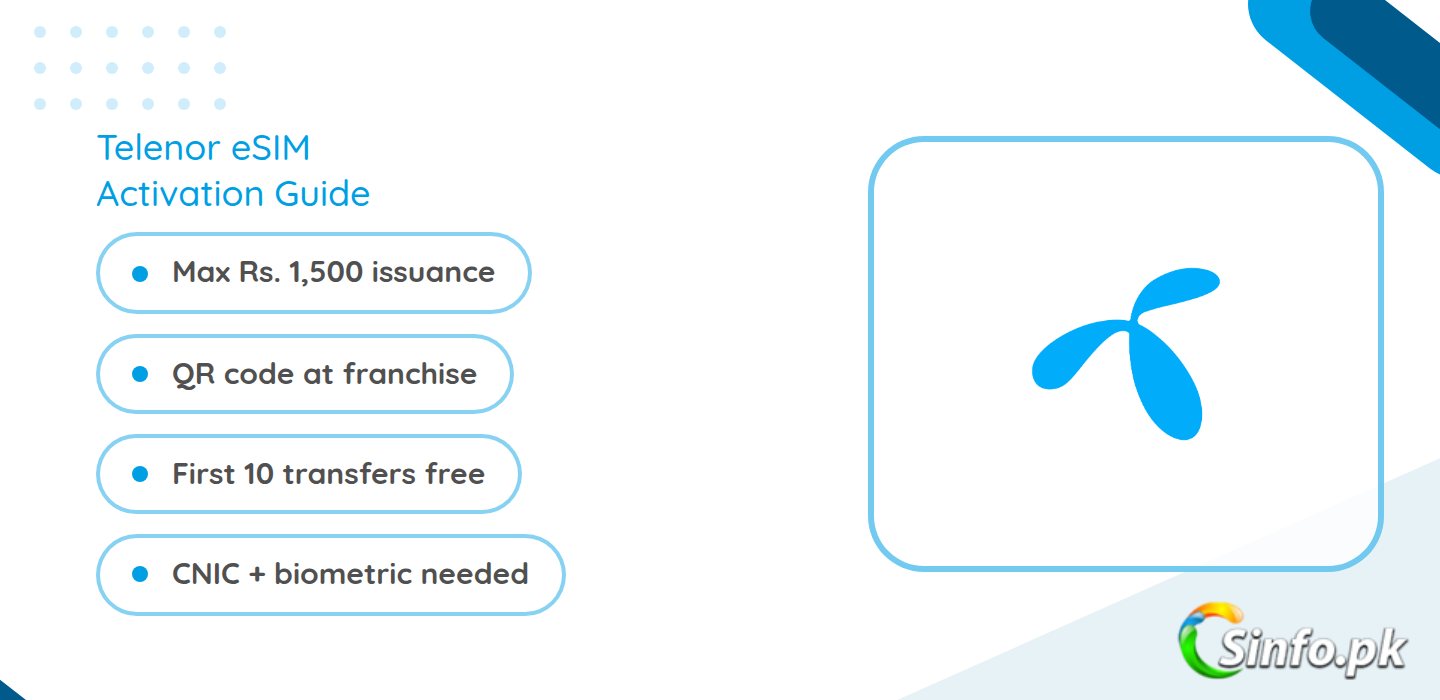
Telenor eSIM Quick Facts
| Detail | What Telenor offers |
| eSIM issuance / conversion (max price) | Rs. 1,500, capped by PTA from 17 August 2026 |
| Moving eSIM to a new phone | Free for the first 10 device migrations |
| Where to get it | Telenor franchise (main method); My Telenor app where the option is available |
| Documents needed | Original CNIC; biometric verification at the franchise |
| Activation time | A few minutes after scanning the QR code, with a confirmation SMS |
The Rs. 1,500 figure is the maximum retail price PTA allows any operator to charge for issuing an eSIM or converting a physical SIM to eSIM. Telenor’s own counter price may be lower, which is why a quick compare the Telenor internet packages and confirm the current eSIM charge in the My Telenor app before you visit.
How to Get a Telenor eSIM at a Franchise
This is the most reliable method and works for both new numbers and conversions:
- Find your nearest Telenor franchise using the store locator in the My Telenor app or on telenor.com.pk.
- Take your original CNIC. Copies or other documents are not accepted.
- Bring your eSIM-compatible phone with you. The staff will need it to scan the QR code.
- At the counter, ask for eSIM issuance. If you already have a Telenor number, ask to convert your existing number to eSIM.
- Complete biometric verification. The staff verify your thumb impression against NADRA records, the same check used for a new SIM.
- The staff generate a unique QR code linked to your number. Scan it with your phone’s camera and follow the on-screen steps.
- Wait for the confirmation SMS. Your eSIM usually activates within a few minutes.
On iPhone, go to Settings, then Cellular, then Add Cellular Plan and scan the code. On Android, go to Settings, then Connections, then SIM Manager, then Add eSIM. Make sure you have an internet connection during setup, because the phone downloads the eSIM profile.
Can You Convert to eSIM in the My Telenor App?
Telenor has been rolling out a self-service eSIM option inside the My Telenor app. If it is available for your number, you will find it under Account or SIM settings as an eSIM or Convert to eSIM option. The app walks you through CNIC verification and then shows or emails you a QR code to scan.
This option does not appear for every number or in every region yet. If you do not see it in your app, the franchise route is your fallback. App users who manage everything on their phone often pair this with one of the Telenor MBB device bundles when they need heavy data on a second device.
How to Check If Your Phone Supports eSIM
Dial *#06# on your phone. If you see an EID number in the result, your device supports eSIM. Most recent iPhones (XS and newer), Samsung Galaxy S series flagships, Google Pixel phones from the Pixel 3 onward, and many recent mid-range phones include eSIM support. If your phone has no EID, it cannot use an eSIM and you should stay on a physical SIM.
Terms and Conditions to Know
- When you convert an existing Telenor number from a physical SIM to eSIM, the old physical SIM is permanently deactivated. Keep your eSIM phone ready before you start.
- The QR code is tied to your number and is generally single-use. If you change phones, generate a new transfer through the app or franchise. The first 10 such device migrations are free under the PTA rule.
- Your number keeps working exactly as before: the same packages, the same balance, the same validity. eSIM only changes how the number lives on your phone, not what it costs to use.
- PTA’s Rs. 1,500 cap applies to issuance and conversion across Pakistan, AJK and GB. Franchise staff must tell you the actual charge before they process it.
- If you later switch networks with MNP, your eSIM profile is replaced by the new operator’s profile, just like a physical SIM swap.
Is Telenor eSIM Worth It?
Honestly, eSIM is worth it if your phone supports it and you are tired of swapping tiny plastic cards. The real wins are practical: you can carry two numbers on one phone without a dual-SIM tray, you never lose a SIM while travelling, and replacing a lost connection is a QR scan instead of a shop visit. The cost is a one-time issuance charge capped at Rs. 1,500, after which your monthly spend is unchanged. If you are on Telenor postpaid or a heavy prepaid bundle, nothing about your plan changes.
The only real caution: conversion kills your physical SIM for good, so do it when your eSIM phone is in your hand, not before. And since Telenor’s site does not show live eSIM pricing to automated checks, confirm the current counter price in the My Telenor app before you visit.
FAQs
How much does a Telenor eSIM cost in Pakistan?
PTA caps eSIM issuance and conversion at a maximum of Rs. 1,500 across all operators, effective 17 August 2026. Telenor’s actual charge may be lower, so confirm it at the franchise or in the My Telenor app.
Can I convert my existing Telenor SIM to eSIM online?
Possibly. The My Telenor app offers a Convert to eSIM option for some numbers and regions. If you do not see it, visit a Telenor franchise with your original CNIC and they will do it at the counter.
Does my physical SIM stop working after conversion?
Yes. Once your number moves to eSIM, the old physical SIM is permanently deactivated. Make sure your eSIM-compatible phone is ready before you convert.
Is transferring my eSIM to a new phone free?
The first 10 device migrations are free under PTA rules. After that, operators may charge, so confirm the fee before an 11th transfer.
Which phones support Telenor eSIM?
Any phone with an EID number, which you can check by dialling *#06#. This includes recent iPhones, Samsung flagships, Google Pixels and many newer mid-range phones.
Sources: PTA press release on eSIM charge reduction (7 August 2026); Telenor eSIM process guide. Telenor’s official site blocks automated fetching; confirm the live counter price in the My Telenor app or at a franchise.


Add comment